Query with Amazon Athena
-
To easily query your SafeGraph Core Places - Entire Canada (Essential Columns), you can use Amazon Athena which gives you SQL interface to query the dataset.
-
You can use SQL query editor and view the result directly from your AWS Console - Amazon Athena
-
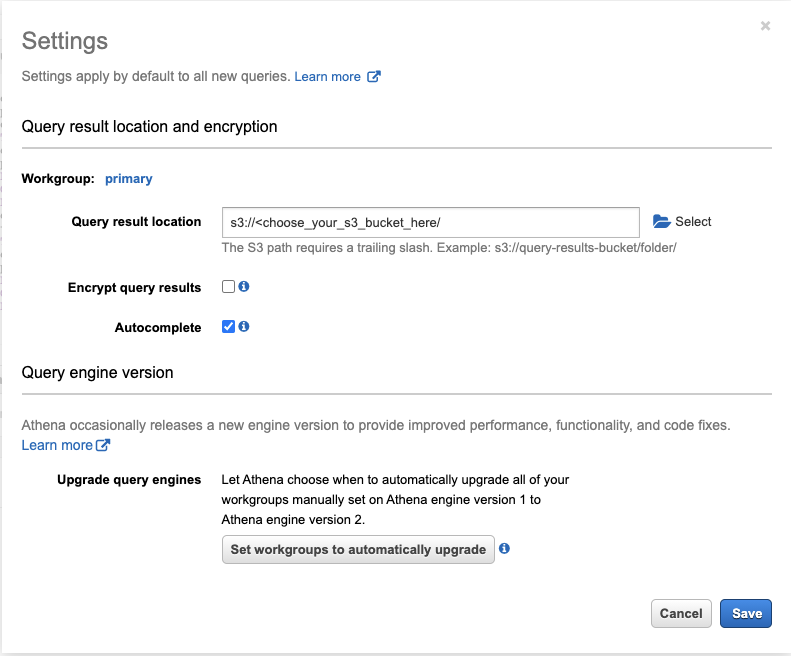
Setup Amazon Athena output S3 bucket by clicking on the “Settings” navigation at top right corner, and selecting the second S3 bucket your created in the previous step
-
A Geospatial Accessor Function, great_circle_distance() which returns, as a double, the great-circle distance between two points on Earth’s surface in kilometers, is available in Amazon Athena Engine version 2, enable this in your Athena workgroup using the following step:
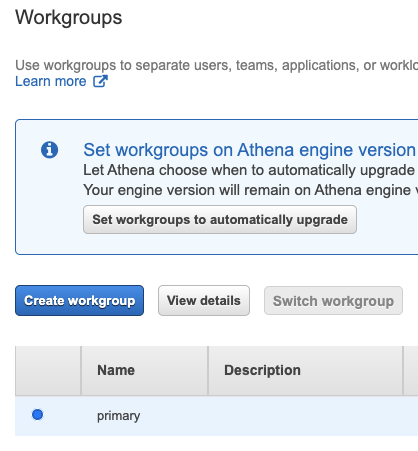
a. View the Amazon Athena workgrop setting, by clicking “Workgroup :primary” in top left navigation links
b. Select “primary” workgroup and click “view details”
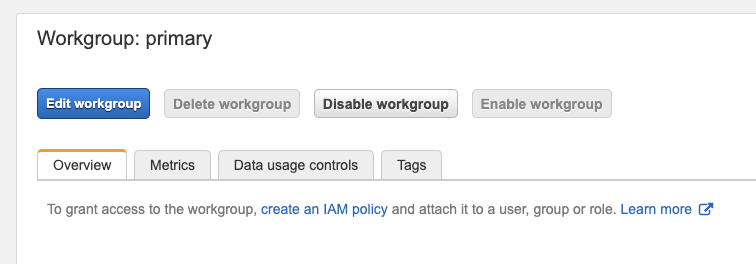
c. Click on “edit workgroup”
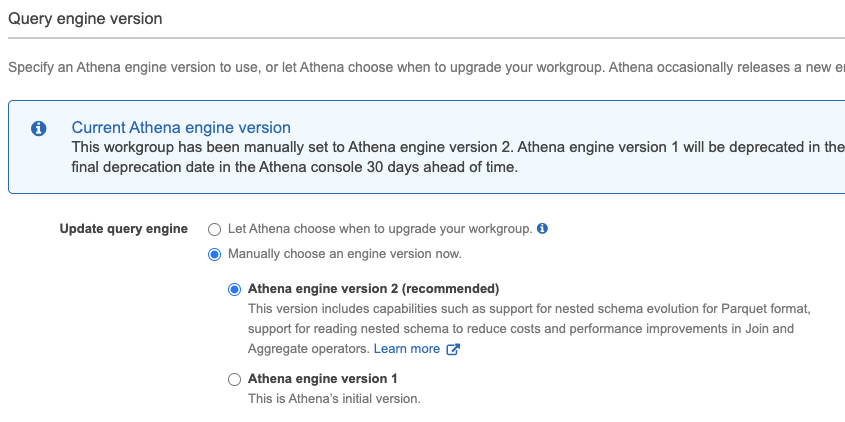
d. In the “Query engine version” section, choose Athena engine version 2
-
Go back to the query editor and execute the following query to create an Athena table based on your S3 bucket files. The following SQL uses core_poi_canada as the table name and refers to export-location-s3-bucket-sample as the S3 bucket, you should change this to your S3 bucket name under “LOCATION”
CREATE EXTERNAL TABLE `core_poi_canada`(
  `placekey` string COMMENT 'from deserializer',
  `location_name` string COMMENT 'from deserializer',
  `top_category` string COMMENT 'from deserializer',
  `latitude` double COMMENT 'from deserializer',
  `longitude` double COMMENT 'from deserializer',
  `street_address` string COMMENT 'from deserializer',
  `city` string COMMENT 'from deserializer',
  `region` string COMMENT 'from deserializer',
  `postal_code` string COMMENT 'from deserializer',
  `iso_country_code` string COMMENT 'from deserializer')
PARTITIONED BY (
  `partition_0` string)
ROW FORMAT SERDE
  'org.apache.hadoop.hive.serde2.OpenCSVSerde'
WITH SERDEPROPERTIES (
  'escapeChar'='\\',
  'quoteChar'='\"',
  'separatorChar'=',')
STORED AS INPUTFORMAT
  'org.apache.hadoop.mapred.TextInputFormat'
OUTPUTFORMAT
  'org.apache.hadoop.hive.ql.io.HiveIgnoreKeyTextOutputFormat'
LOCATION
  's3://export-location-s3-bucket-sample____CHANGE_THIS____'
TBLPROPERTIES (
  'has_encrypted_data'='false',
  'skip.header.line.count'='1',
  'typeOfData'='file')
- After the table successfully created, you will be asked to load the table partition, you can do so by executing this query in the query editor pane
ALTER TABLE core_poi_canada add partition (partition_0="revision1")
location "s3://export-location-s3-bucket-sample____CHANGE_THIS____";
- You can execute sample query for determining places with top_category equals “Restaurants and Other Eating Places” within 10km of a Tim Horton location at 1750 Finch Avenue East, Toronto, ON which placekey equals to “zzw-227@665-ztc-nh5”.
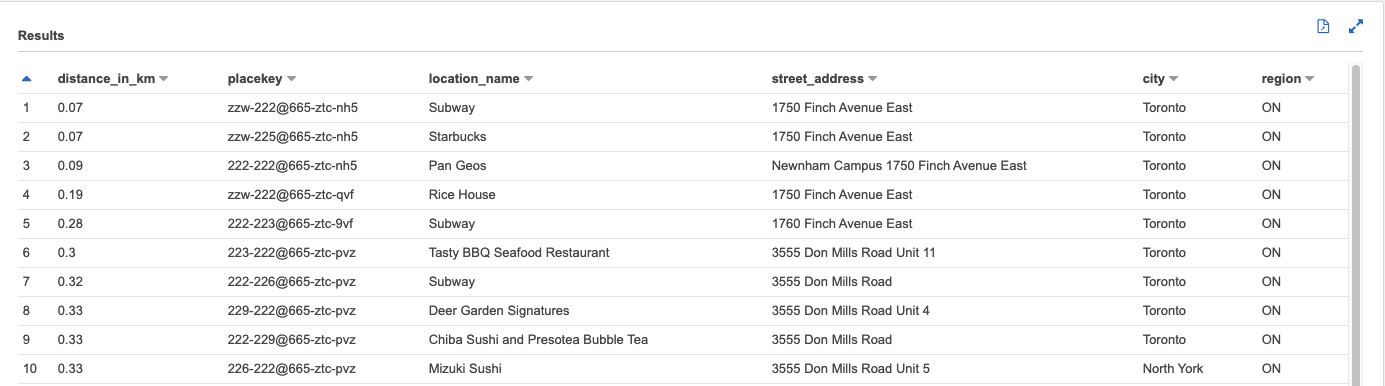
SELECT round(great_circle_distance(a.latitude,
        a.longitude,
        b.latitude,
        b.longitude),
       2) AS distance_in_km,
        b.placekey,
        b.location_name,
        b.street_address,
        b.city,
        b.region
FROM core_poi_canada a
JOIN core_poi_canada b
   ON (great_circle_distance(a.latitude, a.longitude, b.latitude, b.longitude) < 10)
WHERE a.placekey='zzw-227@665-ztc-nh5'
       AND b.location_name != 'Tim Hortons'
       AND b.top_category='Restaurants and Other Eating Places'
ORDER BY  1
- Another sample query of selecting number of Tim Hortons within 1 Km from a particular Starbucks location
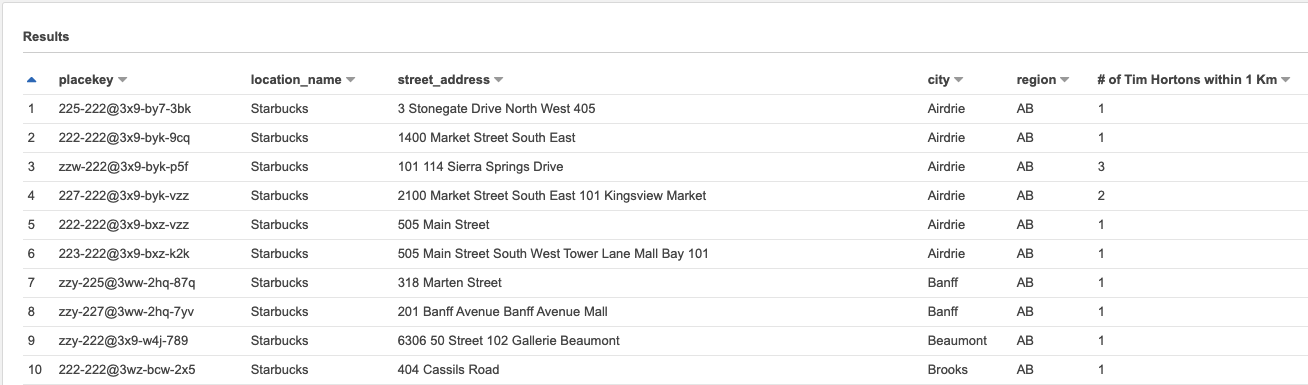
SELECT DISTINCT a.placekey,
         a.location_name,
         a.street_address,
         a.city,
         a.region,
         count(b.placekey) AS "# of Tim Hortons within 1 Km"
FROM core_poi_canada a
JOIN core_poi_canada b
    ON (great_circle_distance(a.latitude, a.longitude,b.latitude, b.longitude) <= 1.0)
WHERE a.location_name='Starbucks'
        AND b.location_name='Tim Hortons'
GROUP BY  1,2,3,4,5
ORDER BY  5,4 asc