Using Athena Table as Amazon Quicksight Data Source
You can leverage Amazon Quicksight to provider a feature rich data visualization. Get started by using Amazon Quicksight Standard Edition, configure Quicksight with following steps:
-
Subscribe to Quicksight, for this solution you only need Quicksight Standard Edition.
-
Create new dataset from your Athena table. Click on “Datasets” in the left navigation panel, and then “New dataset” button in top right of the page.
-
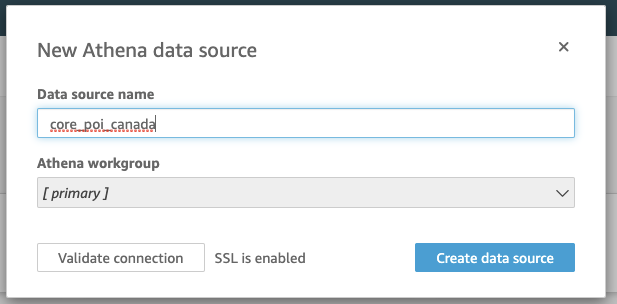
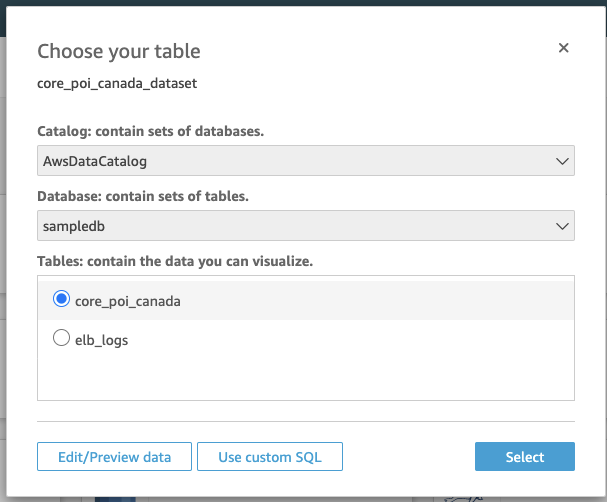
Choose “Athena” as your data source, and specify the name which can be different from your Athena table, you will choose the associated Athena table after you click “Create data source”
-
In the “Finish dataset creation”, choose “Edit/Preview data”
