Remove All
If you decide to remove all related AWS resources preventing cost to be incured in the future, you can do the following steps: Note: the deletion / removal steps cannot be undone.
-
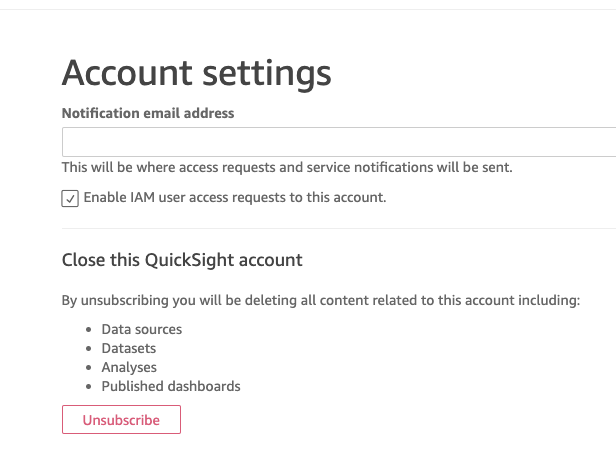
Unsubscribe from Amazon Quicksight, this will be deleting all Quicksight related content from the account.
a. Go to your Amazon Quicksight console and click on your profile in top right corner, choose “Manage Quicksight”
b. In the left navigation links, choose “Account Settings”, and click “Unsubscribe”
-
Delete Amazon Athena table, by running this query in your Amazon Athena query editor
DROP TABLE core_poi_canada;
- Delete your Amazon S3 bucket by selecting the bucket name from the list in your AWS Console - Amazon S3, first click on “Empty” then “Delete”. You will be asked with several confirmation steps.